What a Business Central Implementation Actually Looks Like: A Project Timeline for UAE Businesses
Understand every phase of a Dynamics 365 Business Central implementation in the UAE — deliverables, risks, and red flags per stage.
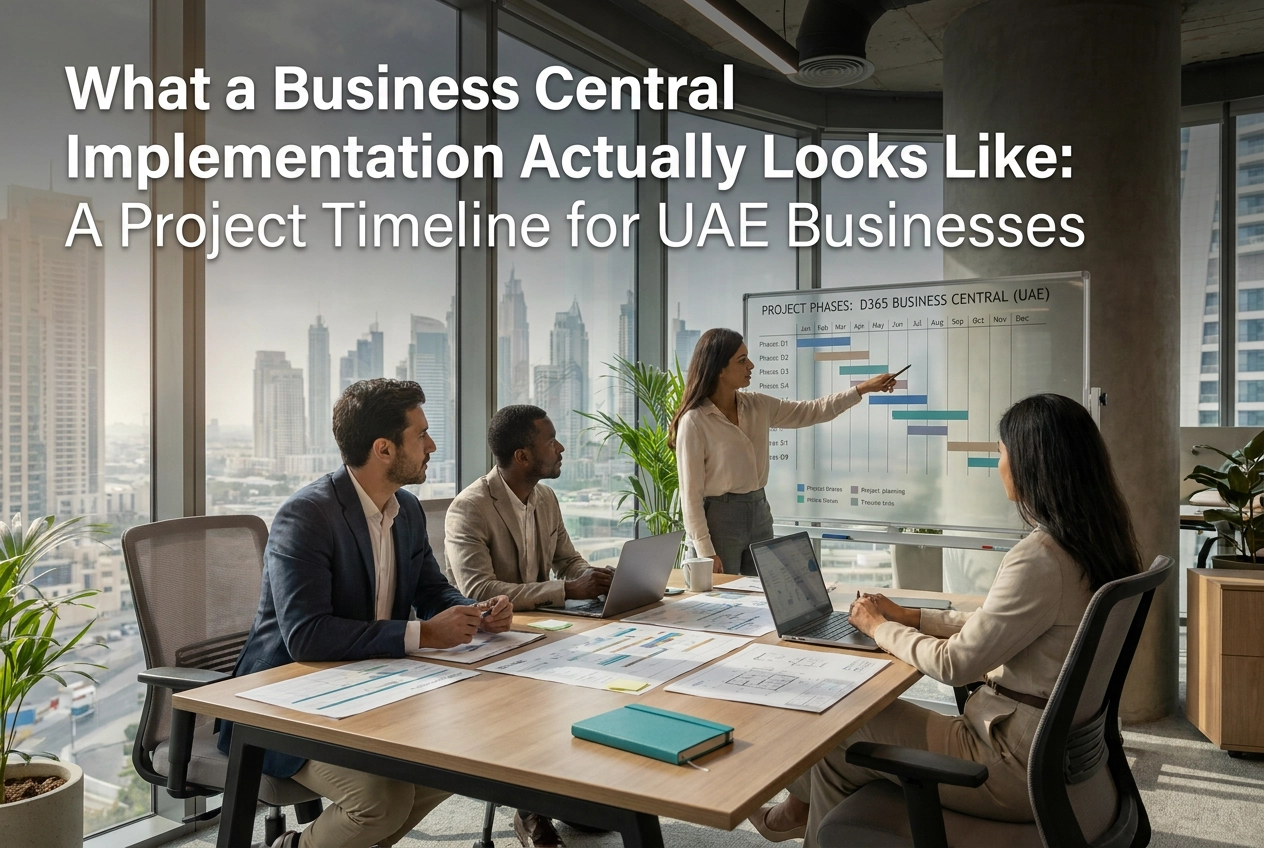
AI-generated header image for: What a Business Central Implementation Actually Looks Like: A Project Timeline for UAE Businesses
Most ERP projects in the UAE don't fail at go-live. They fail in the first conversation, when a partner quotes a launch date instead of presenting a project plan, and a buyer accepts it.
If you're evaluating or already committed to a Business Central implementation, understanding what actually happens between contract signature and a functioning system is the most valuable knowledge you can have. Every Dynamics 365 Business Central customization decision, every integration, every workflow configuration lands inside a structured sequence of phases, and each of those phases carries its own deliverables, risks, and decision points that directly determine whether your project finishes on time and on budget.
This guide walks you through all six implementation phases in detail, from Discovery through Hypercare, with a clear-eyed look at where UAE businesses consistently lose time and money. You will also find industry-specific timeline benchmarks, a breakdown of how integration complexity drives cost overruns, and a practical set of questions designed to help you hold your implementation partner accountable at every stage. By the end, you will have a framework that turns a vague go-live promise into a timeline you can actually manage.
Why UAE ERP Implementations Fail Before They Start
Most UAE businesses enter an ERP project having been sold a date, not a plan. A partner proposes a go-live in twelve weeks, the number sounds reasonable, and the contract gets signed before anyone has documented a single business process. That date is a sales tactic. It creates urgency, shortens the evaluation cycle, and shifts the difficult conversation about scope from before the contract to after it, when the buyer has no leverage.
The consequences are predictable. Without phase gates, formal approval criteria, or escalation procedures established upfront, scope expands continuously throughout the project. Each undocumented requirement becomes a change request. Each change request carries a cost. By the time a business realises the budget has been exceeded, the team is already months into a build it cannot easily reverse.
Selecting an ERP system on speed and price alone compounds this problem structurally. The software itself, including a platform as capable as Microsoft Dynamics 365 Business Central, cannot compensate for an absent methodology. A powerful engine installed without a proper foundation still fails. The failure is not the software's fault; it is the absence of a disciplined implementation framework around it.
The difference between a methodology and a promise is specific and testable. A legitimate project plan names phases, assigns deliverables to each phase, defines who signs off before the next phase begins, and identifies what triggers an escalation if a phase runs over. A timeline on a slide deck names a go-live date and little else. One gives the buyer control; the other removes it.
This is precisely why understanding the six phases of a Business Central implementation matters beyond academic interest. When a buyer can name what the discovery phase must deliver, what the design phase must document, and what user acceptance testing must formally verify, the relationship with the implementation partner changes. The buyer stops being a passive recipient of progress updates and becomes an accountable stakeholder with defined checkpoints to enforce.
The sections that follow examine each phase in detail.
The Six Phases Every Business Central Implementation Follows
Every Business Central implementation follows the same six phases, in the same order: Discovery, Design, Build, UAT, Go-Live, and Hypercare. The sequence is not negotiable. Each phase produces outputs that the next phase depends on. Compressing Phase 1 means Phase 2 is built on assumptions; assumptions in Phase 2 become expensive rework in Phase 3.
Phase gates formalise this dependency. A phase gate is a documented sign-off, agreed by both the client and the partner, confirming that a phase's deliverables meet the acceptance criteria before work on the next phase begins. Gates protect the buyer by creating a contractual checkpoint: if the gap analysis is incomplete, the gate does not close. Partners who skip gates remove that protection and shift all downstream risk onto the client.
The discovery and design phases are where that risk is either surfaced and priced, or deferred and multiplied, detail on each follows.
Total timeline for a mid-size UAE business typically runs three to nine months, depending on four variables:
Company size: Entity count, user count, and data volume all extend duration.
Industry vertical: A trading group with multi-entity, multi-currency structures requires more design time than a professional services firm. Retail implementations that include point-of-sale integration extend the build and UAT phases further.
Integration complexity: Each legacy system requiring a live integration adds weeks to Design and Build.
Dynamics 365 Business Central customisation scope: Standard configuration moves faster; bespoke development does not.
Within the overall 3–9 month range, professional services configurations sit at the shorter end while multi-entity trading groups and retailers with POS integration sit at the longer end, a reality addressed in detail in the industry timeline section below.
Our implementation process reflects this structure in full, with defined deliverables and sign-off criteria at every phase. The sections that follow examine each phase in detail.
Phase 1: Discovery, Where the Real Scope Gets Defined
Discovery is where every cost, timeline, and scope commitment made later in the project either stands or collapses. Before any configuration begins, a rigorous discovery phase must produce five concrete deliverables: a current-state process map of how your business actually operates today, a gap analysis documenting where standard Business Central functionality falls short, a data audit cataloguing what needs to be migrated and its quality, an integration inventory listing every system that must connect to the new ERP, and a formal scope-of-work document that all parties sign off on before Phase 2 begins.
Discovery duration scales with organisational complexity, simpler single-entity businesses complete it faster; multi-entity, multi-integration businesses require significantly more time. What compresses discovery is pre-existing process documentation and cooperative internal stakeholders. What extends it is undocumented tribal knowledge, fragmented data sitting across multiple systems, and integration requirements that only surface mid-workshop.
The three decisions that shape everything downstream are determined here: which legacy systems require live integration with Business Central versus a one-time data migration; which historical data is worth migrating versus archiving; and which business processes genuinely require Dynamics 365 Business Central customisation versus standard configuration. Getting these wrong at this stage does not create a minor inconvenience; it generates rework that compounds through every subsequent phase.
Red flags to act on immediately: a partner who proceeds without structured process workshops, delivers no written gap analysis, or opens with a software demonstration before documenting your requirements is substituting a sales tactic for methodology. These omissions are not shortcuts; they are how scope gets misunderstood and budgets collapse.
Integration complexity deserves particular scrutiny. Underdiscovered integrations, whether with a legacy accounting platform, a warehouse system, or a third-party logistics provider, consistently emerge as the primary cost driver in overrun projects. Every connection that is not formally identified and scoped in discovery will be repriced as a change request during the build phase, at a significantly higher cost.
Phase 2: Design, Translating Business Requirements into a Build Blueprint
Once discovery has produced a documented scope, the design phase converts that raw material into something a development team can actually build from. This is where vague requirements become precise specifications, and where the most consequential cost decisions of the entire project get made.
The Functional Design Document is the non-negotiable output of this phase. Microsoft's implementation guidance on functional design documents recommends capturing each in-scope process, the proposed solution, and the UAT acceptance criteria. If your partner begins development without a signed FDD, you have no contractual basis to reject work that does not match your requirements.
The customisation-versus-configuration decision must be made here, explicitly. Every gap identified in discovery resolves to one of three responses: configure a standard Business Central capability, install a pre-built extension from Microsoft AppSource, or commission custom development. Each carries a different cost, a different maintenance burden, and a different risk profile. Microsoft Dynamics 365 Business Central is a capable platform out of the box; most gaps in trading, manufacturing, and professional services resolve through configuration alone. Custom code should be a deliberate last resort, not the default answer when configuration requires effort.
Design phase deliverables that protect you as a buyer include:
A solution architecture document confirming the system landscape
Integration design specifications for every connected system
A data migration plan covering source mapping, cleansing rules, and volume estimates
A UAT plan outline aligned to the FDD's acceptance criteria
Industry context changes design significantly. A UAE trading company with multiple legal entities and AED/USD multi-currency requirements needs inter-company posting rules, consolidation logic, and VAT compliance built into the architecture from the outset. A retail business integrating LS Central for point-of-sale adds a parallel design stream covering store configurations, payment methods, and loyalty structures. These are not minor variations; they are distinct design workstreams that affect timeline and budget if treated as afterthoughts.
Design phase duration scales with the volume of gaps and integrations identified during discovery. Compressed design is the most reliable early indicator of an overrun ahead.
Phase 3: Build, What Is Actually Being Configured and Developed
The build phase is where approved specifications become a functioning system, the longest phase in most implementations and the one where project control either holds or collapses.
What is actually being built covers five parallel workstreams: system configuration (charts of accounts, dimensions, workflows, approval hierarchies), Dynamics 365 Business Central customisation development for requirements that fall outside standard functionality, integration builds connecting Business Central to third-party systems, data migration scripting to cleanse and map legacy records, and report and dashboard development.
These workstreams run simultaneously, which means delays in one create dependencies across the others. A partner who cannot show you progress across all five is almost certainly behind.
Visibility is non-negotiable. A competent partner structures the build phase into regular sprint cycles, with a demo review at the close of each sprint. You should be seeing configured functionality in a sandbox environment, not receiving status update emails. If your partner is building without giving you regular access to a test environment, that is a black-box engagement; insist on sandbox credentials and scheduled sprint reviews before the phase begins, not after you notice a problem.
Change requests are the primary budget risk during build. Every requirement added after the FDD is signed consumes time already allocated to other workstreams. Without a formal change control process, each request gets absorbed informally until the budget is exhausted and the timeline has slipped by weeks. Any change request should trigger a written impact assessment, a cost estimate, and explicit sign-off before development begins. This single discipline eliminates the most common source of informal scope growth during build.
Buyer checkpoints to insist on: regular sandbox access, sprint demo recordings, and a configuration log documenting every setting changed from the Business Central default.
Power Platform integration typically runs alongside core build work. Power BI is connected to Business Central data to deliver operational dashboards, while Power Automate handles workflow triggers such as approval routing and notification logic. Both extend the ERP system without requiring custom code, which keeps maintenance costs lower long-term. Getting these integrations right during build, rather than retrofitting them later, matters significantly for scalability.
Phase 4: User Acceptance Testing, The Phase Most UAE Businesses Underestimate
Once build delivers a configured system, UAT verifies that it matches what the business actually approved, not merely that it runs without errors.
Structuring UAT Properly
Effective UAT for a Business Central implementation requires four components:
Test scripts organised by business process, not by module. Accounts payable, sales order processing, inventory receipts, and bank reconciliation should each have discrete scripts that mirror real operational scenarios.
Defined tester roles. Business users, not the implementation team, execute the scripts. The partner's consultants observe and log, not validate on the client's behalf.
A defect logging protocol that captures severity, process area, and the FDD clause the defect breaches.
Formal sign-off criteria that both parties agree before testing begins, specifying what percentage of scripts must pass and at what severity threshold.
Why UAE Projects Rush This Phase
Schedule pressure is the primary cause. When discovery or build phases overrun, UAT absorbs the compression. The result is a go-live on a system that has not been adequately validated, with defects that surface only under live transaction volumes. Microsoft's own UAT guidance emphasises meticulous planning with clear success criteria precisely because compressed testing is a well-documented source of post-go-live instability.
Go/No-Go Criteria Must Be Pre-Defined
Before UAT begins, the project team must agree on what constitutes a blocking defect versus a deferred fix. A blocking defect prevents a core business process from completing. A deferred fix is an imperfection that does not break operations. Making this distinction under go-live pressure rather than in advance almost always produces the wrong decision.
UAT as Change Management
UAT is also the first time end users work directly in the configured system. The stakeholders you involve, and how prepared they are, directly determine adoption quality after go-live. Rushed UAT with the wrong participants does not just miss defects; it produces a workforce that reaches cutover day without confidence in the system they are expected to use.
Phase 5: Go-Live, What Actually Happens on Cutover Day
With UAT signed off and training completed, cutover execution can begin.
The cutover plan has four non-negotiable components. First, data migration execution: final validated data loads must run in a controlled sequence, with reconciliation checks confirming record counts and opening balances before the system opens for transactions. Second, the choice between a parallel run and a hard cutover must be made explicitly, each carries a distinct risk and workload profile that your project plan should document. Third, user access must be provisioned and tested before day one, with roles confirmed against the permissions matrix agreed during design. Fourth, a documented rollback procedure must exist, including a pre-agreed trigger point and a tested path back to the legacy system.
The go-live date is not the finish line. The first 48 to 72 hours after cutover are the highest-risk window of the entire project. The implementation partner should be on-site or immediately available, transaction volumes should be monitored against expected baselines, and a dedicated issue triage channel should be active. Internal stakeholders must be present, not delegating to junior staff.
UAE-specific risks require explicit planning. Scheduling go-live near fiscal year-end creates reconciliation pressure and VAT reporting deadlines that compound any system instability. For businesses under the UAE Federal Tax Authority's VAT framework, migrated tax data must be verified before the first VAT-applicable transaction is processed. Trading groups with multi-entity structures face additional complexity: inter-company balances, consolidation hierarchies, and currency revaluation settings must all be confirmed functional before cutover. Understanding the full scope of what Dynamics 365 Business Central covers versus other Microsoft products helps stakeholders set the right expectations for what the ERP layer must handle.
A formal go-live readiness checklist should require signed confirmation across: all UAT blocking defects resolved, data migration dry run completed and reconciled, user accounts and roles provisioned and tested, integrations validated end-to-end, and support escalation contacts confirmed with the partner.
End-user training must be completed and documented before cutover is authorised, a gate confirmed during UAT, not deferred to the days after go-live.
Phase 6: Hypercare, The Phase Your Partner's Contract May Not Mention
Hypercare is a formally defined, time-bound support window that begins at go-live and operates under stricter response commitments than standard managed support. It is precisely when configuration gaps surface, users encounter real-data edge cases, and the distance between what was tested and what the business actually does becomes visible, making it a critical contractual obligation, not optional goodwill.
Hypercare is not goodwill. It should be a contractual obligation with named resources involving dedicated consultant availability, on-site or near-site, with response SLAs measured in hours rather than business days.
Duration and stabilisation criteria
Hypercare duration should be scaled to implementation complexity and tied to stabilisation KPIs rather than a fixed calendar window. Stabilisation should be defined by measurable outcomes: incident volume below an agreed weekly threshold, no open critical-severity defects, and user adoption metrics confirming core processes are running without escalation. When those thresholds are met, the system is ready to transition to standard managed support.
What a hypercare agreement must contain
A properly structured hypercare agreement specifies issue severity definitions (critical, high, medium, low), resolution time commitments per severity tier, named escalation contacts on both sides, and a log of items deferred from UAT. That deferred-item register is particularly important: anything carried forward from testing must have an owner, a resolution date, and a re-test plan.
Planning the transition before go-live
The move from hypercare to a long-term managed services model should be designed before cutover, not negotiated under pressure afterward. A well-structured Business Central managed services arrangement should cover application support, configuration changes within agreed scope, update management, and reporting assistance. For detail on what structured post-go-live support looks like in practice, the Frequently Asked Questions on Business Central support cover common scope and SLA considerations.
Red flags to recognise
Be cautious of any partner whose contract ends at go-live with no defined hypercare period. Equally problematic are vague commitments such as "we will be available as needed" with no SLA, no severity definitions, and no stabilisation criteria. These are not oversights; they are structural gaps that transfer post-go-live risk entirely onto your business.
How Implementation Timelines Vary by Industry in the UAE
Phase and vertical are inseparable considerations. The six phases apply universally, but how long each phase takes depends heavily on what industry you operate in. A timeline that is realistic for a professional services firm will be dangerously optimistic for a multi-branch retailer.
Retail with LS Central Combining Microsoft Dynamics 365 Business Central with LS Central for point-of-sale integration adds a parallel configuration workstream that runs through both the build and UAT phases. Each branch requires hardware integration, till configuration, and loyalty or promotion logic testing. For a UAE retailer operating five or more branches, UAT alone expands significantly because every POS scenario must be tested against live Business Central data. Realistic end-to-end timelines for this profile typically run longer than standard Business Central deployments. The operational complexity of UAE retail, explored further in this overview of Business Central Towers: ERP for the Modern Middle East, illustrates why vertical-specific scope matters from day one.
Trading Groups UAE trading businesses commonly operate across multiple legal entities, currencies, and intercompany relationships. This structure compresses nothing; it extends the design phase substantially because intercompany elimination rules, consolidation reporting requirements, and multi-currency revaluation logic must all be mapped before a single line of configuration is written. Build phase duration increases proportionally.
Manufacturing Bill-of-materials depth, production routing configuration, and the choice between standard, average, or FIFO costing each add discrete configuration tasks. The costing method decision is particularly consequential; changing it post-go-live is costly, so the design phase must resolve it explicitly before build begins.
Fashion Size and colour matrix requirements generate item variant volume that stresses both configuration and UAT. Seasonal buying cycles mean UAT must simulate future-season purchase orders, not just current stock. Supplier integration testing adds further UAT scope that many project plans underestimate.
Professional Services Simpler configuration does not mean faster delivery. Project accounting, resource utilisation tracking, milestone-based billing, and timesheet approval workflows each introduce logic that requires careful design and thorough testing. Timeline risk here concentrates in design and UAT, not build.
Red Flags to Watch For at Every Phase, and Questions to Ask Your Partner
Knowing what each phase must produce gives you a concrete standard to hold your partner to. The patterns below will tell you whether the partner sitting across the table is capable of delivering to that standard.
Pre-contract
A partner who quotes a go-live date before completing discovery is offering a sales number, not a project commitment. Equally, a fixed-price contract without a documented, agreed scope transfers all risk to you, every requirement that surfaces later becomes a change order. Ask the partner to name, by role and by name, the consultant who will lead your project day-to-day. If they cannot, the senior consultant you met in the pitch may not be the person doing the work.
Discovery and design
Both phases must produce written deliverables: a gap analysis document, a signed-off scope of work, and a Functional Design Document before build begins. A design phase that produces no written FDD, regardless of stated duration, is a compression warning. No formal sign-off process means no agreed baseline, which means scope disputes later have no reference point.
Build and UAT
Demand sandbox environment access from the start of build. If you cannot see the system taking shape, you cannot catch misalignments early. Insist on a documented change control process; any requirement change without one becomes informal scope creep. UAT that is compressed to accommodate schedule pressure, rather than scoped to match the number of business processes under test, is structurally insufficient. The go/no-go decision must involve your team, not just the partner.
Credential and methodology validation
Verify the partner's Microsoft solutions partner designation directly through the Microsoft partner directory before signing. Ask for the implementation methodology document, not a summary slide. For UAE projects, confirm that the partner has delivered implementations involving VAT, e-invoicing, and WPS payroll compliance, not just regional presence.
Questions to ask before signing
Who is the named project lead, and what is their utilisation on other projects?
What is the escalation path if delivery falls behind?
Will any element be subcontracted, and if so, to whom?
What does your post-go-live support model look like, and what are the response SLAs?
A credible partner answers all four without hesitation.
Building a Timeline You Can Actually Hold Your Partner To
Understanding deliverables, decision points, and red flags at each stage changes your position structurally. You are no longer dependent on a partner's status updates; you have your own checklist against which to measure progress. That shift is what separates UAE businesses that reach a stable go-live from those that absorb cost overruns and deferred functionality for months after cutover.
What to bring to your first implementation conversation:
A list of every current system in use, including accounting software, warehousing tools, and any legacy ERP
A documented inventory of your core business processes, even in outline form
The questions and red flags identified throughout this guide
A partner who cannot respond substantively to that preparation is telling you something important.
At Index of Solutions, every engagement across the UAE and wider Middle East begins with a structured discovery process before any timeline or cost estimate is confirmed. Deliverables are documented at each phase. Sign-off is formal. Project plans are built to account for integration complexity, regulatory requirements such as VAT compliance, and the specific operational realities of your sector, whether retail, trading, manufacturing, or professional services.
A transparent, accountable project plan is not a premium offering. It is the baseline standard. If your partner cannot produce one, that is the clearest signal to keep looking.
Conclusion
A successful Business Central implementation is not a matter of luck. It is the result of preparation, accountability, and choosing a partner who treats transparency as a standard, not a selling point.
The core lessons from this guide are straightforward. Implementations fail when scope is undefined early. Each of the six phases carries distinct risks that informed clients can anticipate and monitor. Industry context shapes timelines in ways that generic project plans rarely reflect. And the businesses that reach stable go-lives are those that stay actively engaged, not passive observers.
You now have the framework to hold any implementation partner accountable from day one.
If you are evaluating Business Central for your UAE operation, contact Index of Solutions for a structured discovery conversation. Bring your questions. Bring your process documentation. Bring your standards. The right partner will meet every one of them.